At-a-glance status
Show the menu-bar icon, CPU temperature, average fan RPM, or both.
FanBar is a free, open-source Mac fan control app for the menu bar. Monitor temperatures and fan speeds, set a fixed RPM, or create temperature-based fan curves. It supports macOS 11 and later on compatible Apple Silicon and Intel Macs.
MACOS 11+ · APPLE SILICON & INTEL · DMG & HOMEBREW
View compatibility evidence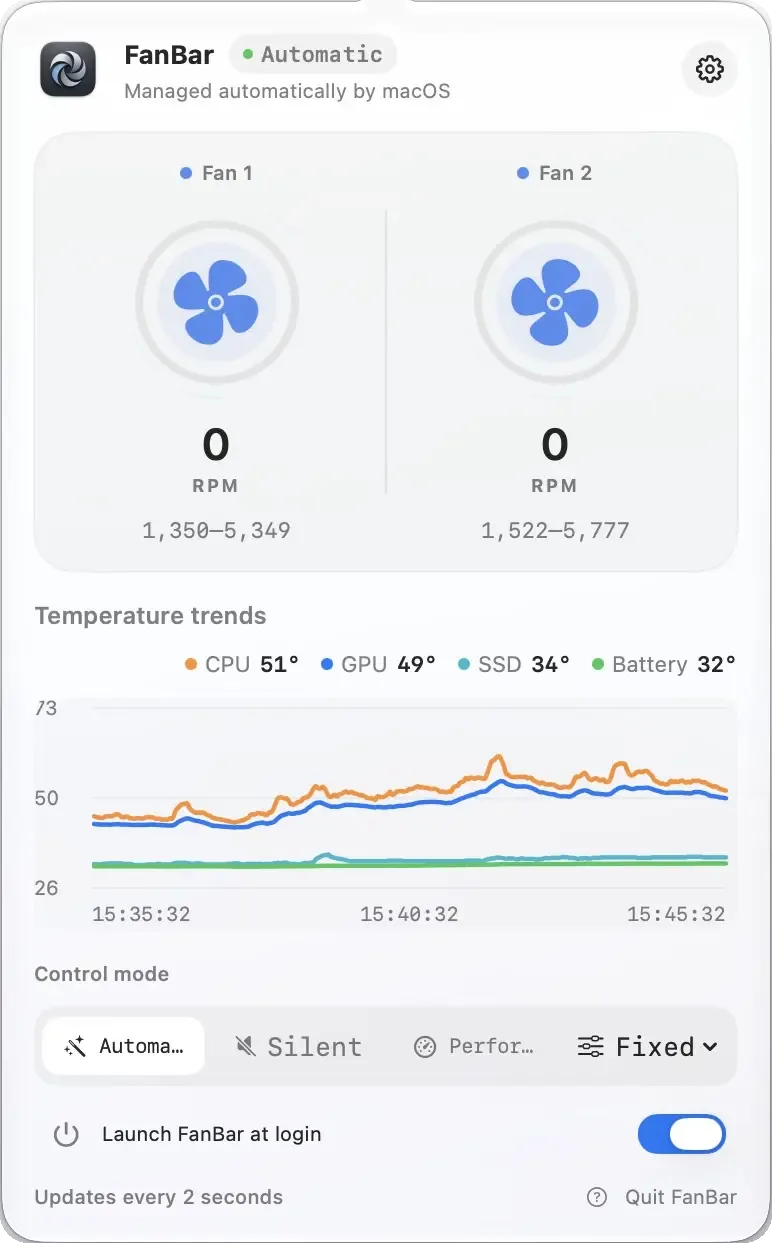
Show the menu-bar icon, CPU temperature, average fan RPM, or both.
On macOS 14+, pin FanBar to the desktop for RPM, speed, and control mode.
A rolling ten-minute chart, plus airflow that follows real RPM.
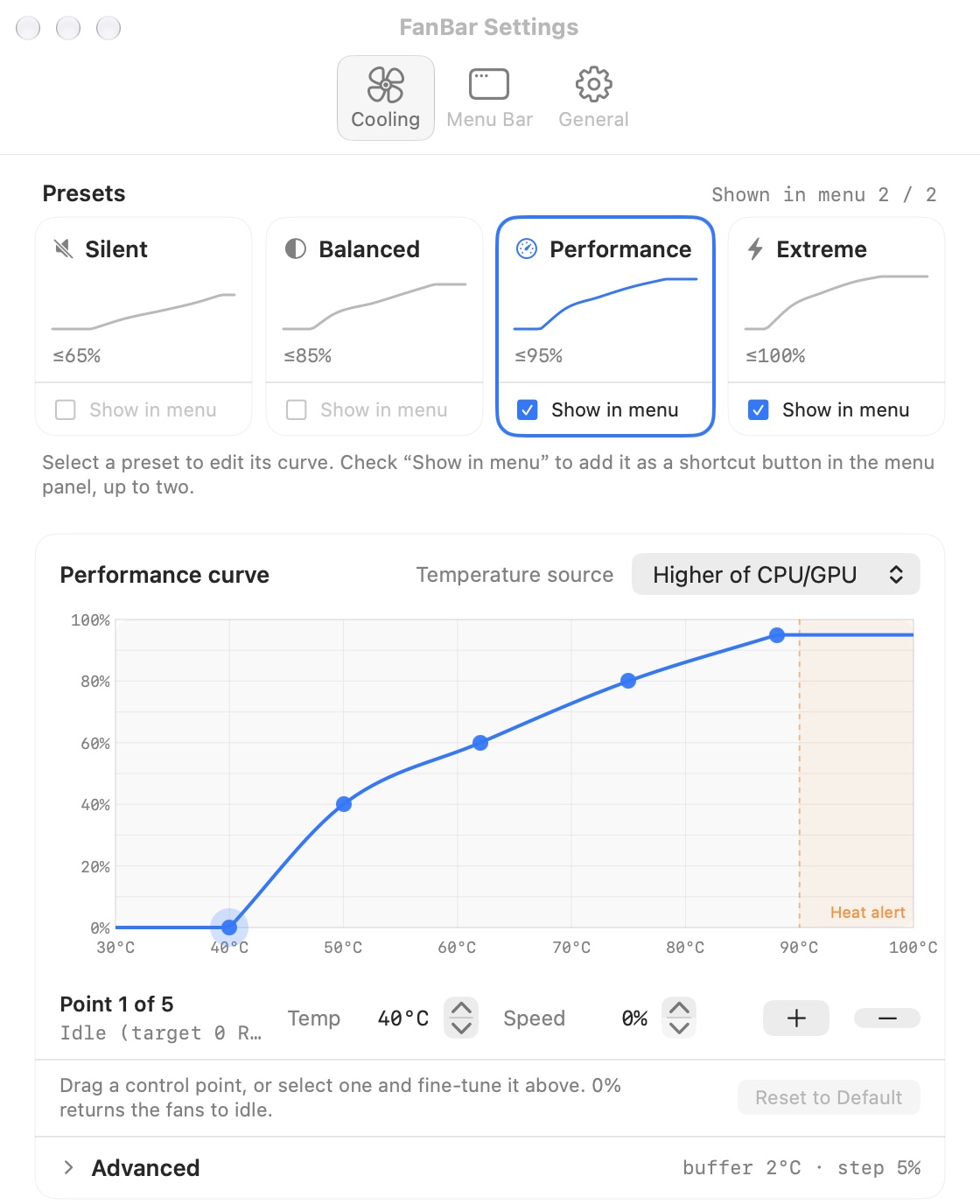
Automatic, a fixed target RPM, or a Silent, Balanced, Performance, or Extreme preset.
Each preset has its own editable curve, mapping temperature to fan output.
Drive the curve from CPU, GPU, or SSD; unavailable sensors fall back safely.
Optional notifications at 90°C — one alert per episode, re-armed after cooling.
Targets stay clamped to hardware range; failure restores automatic control.
Use English, 简体中文, 繁體中文, or 日本語 — and switch instantly.
FanBar keeps everyday use safe and quiet under macOS's own automatic management. Manual fan control opens only after a signed, privileged helper is explicitly authorized — first-run guidance explains exactly why it's needed.
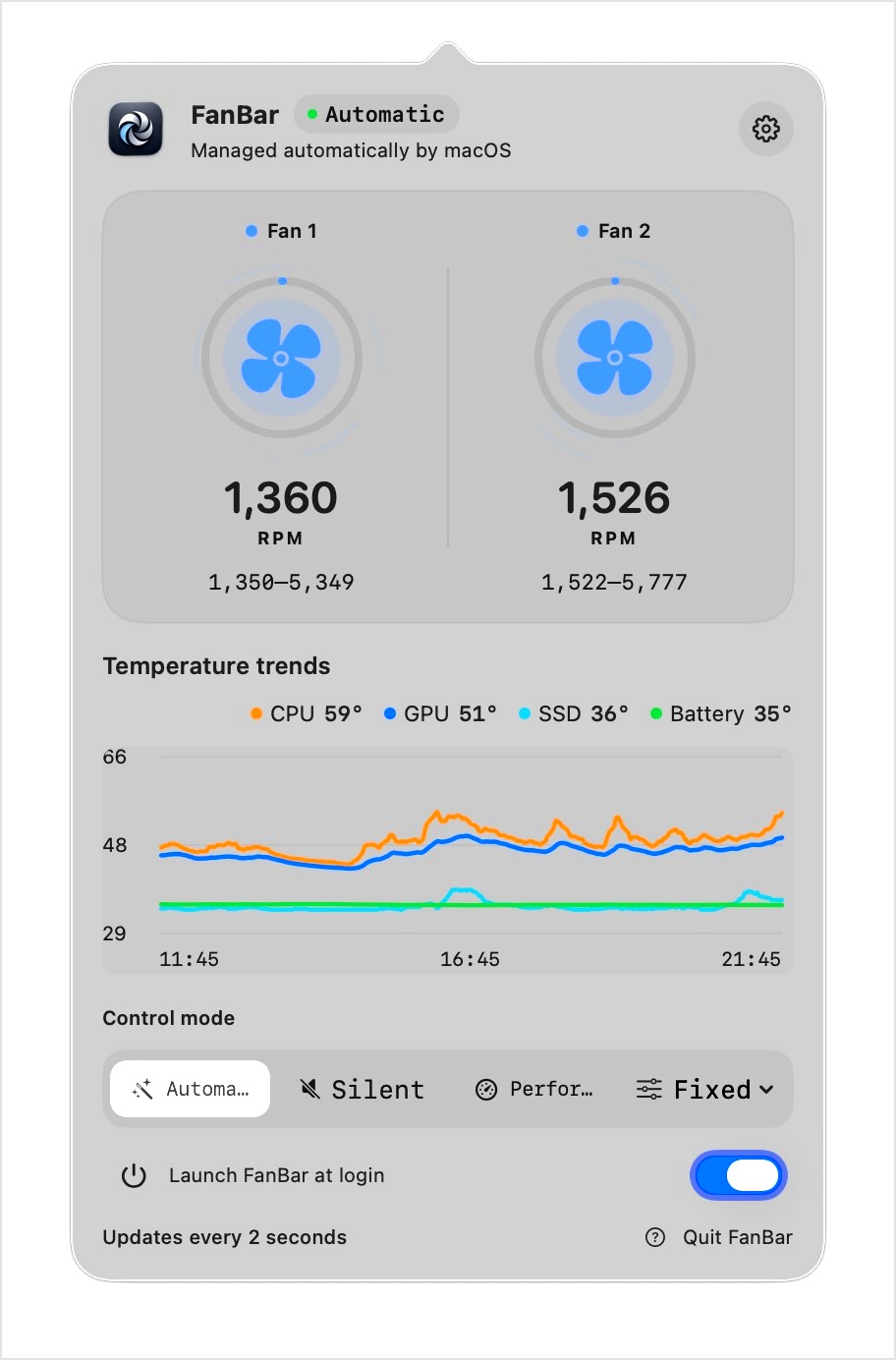
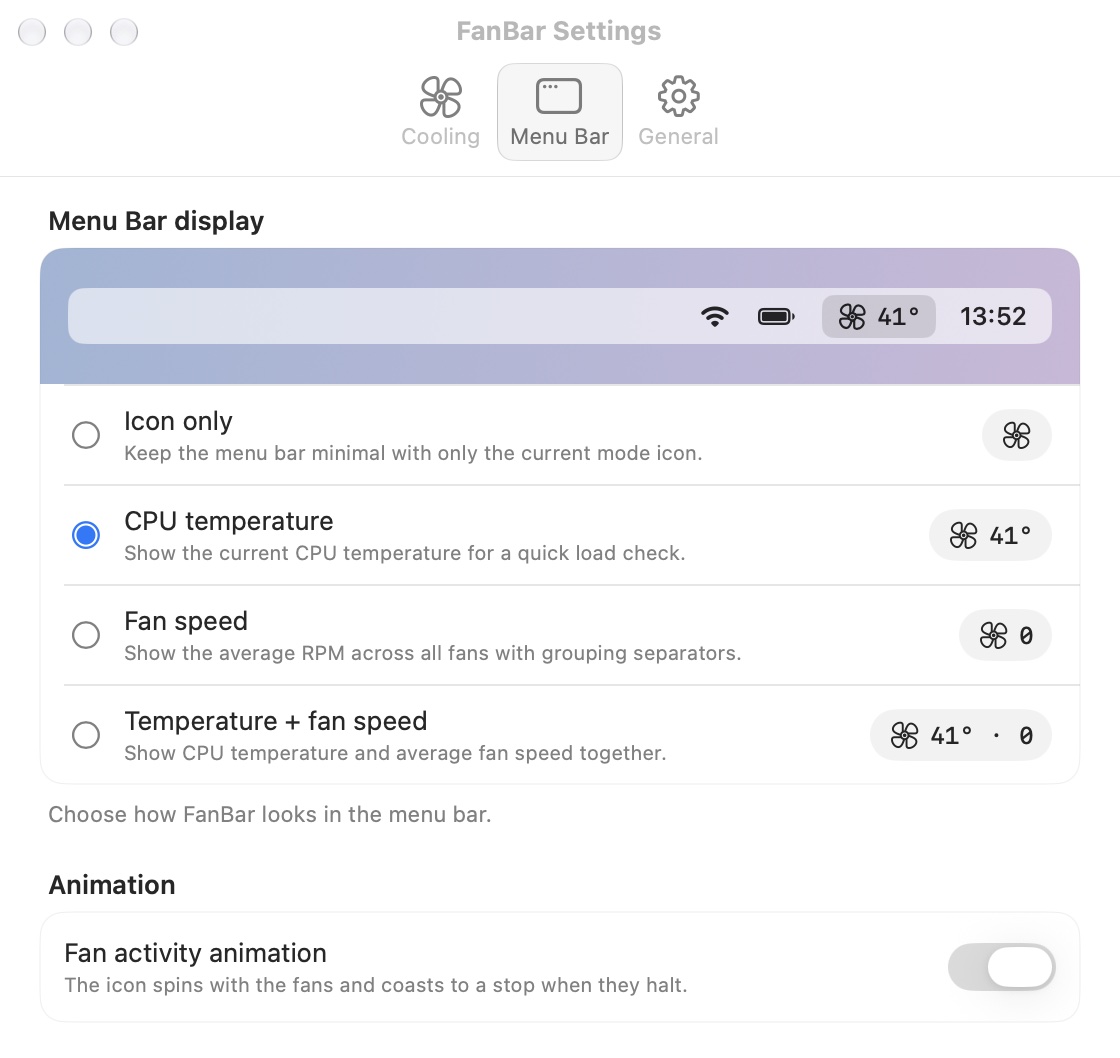
Open FanBar and see current temperature and fan speed right in the menu bar.
Choose Enable fan control and follow the macOS authorization prompt.
Pick a preset or fixed RPM — or return to Automatic any time.
Platform support, permissions, licensing, and what manual fan control actually does — short answers, no marketing.
FanBar is a free, open-source macOS menu-bar app that shows live CPU, GPU, SSD, and battery temperatures and lets you set fan speed manually. It runs on macOS 11 Big Sur and later, on Apple Silicon and Intel Macs that expose fan data through AppleSMC. Everyday cooling stays under macOS's automatic control; manual modes are optional and reversible.
Yes — FanBar is free and open source under the GPL-3.0 license, with no account, subscription, or ads. Notarized builds are published on GitHub Releases, and the full source, privileged helper included, is public.
macOS 11 Big Sur or later, on Apple Silicon and Intel Macs that expose readable AppleSMC fan data. The desktop widget requires macOS 14 or later. The control service registers through SMAppService on macOS 13 and later, and through launchd on macOS 11–12.
Only for manual fan control, and only after you approve it. FanBar.app talks to a signed FanBarHelper over privileged XPC: the helper runs as root but exposes no arbitrary SMC writes — it reads fan state, sets a bounded target, and restores automatic control. If you never enable fan control, the helper stays idle.
CPU and GPU temperature on every supported Mac, plus SSD and battery temperatures where those sensors exist. It reads each fan's current RPM and hardware minimum and maximum, and the menu bar can show the icon, CPU temperature, average RPM, or a combination. Optional notifications fire when CPU or GPU reaches 90°C.
Six: Automatic (macOS control), a fixed target RPM, and the Silent, Balanced, Performance, and Extreme preset curves. Each preset has its own editable temperature-to-RPM curve and can be pinned to the menu-bar panel; presets can auto-restore Automatic after 15 minutes, 30 minutes, or one hour.
Targets are clamped to each fan's reported hardware range, and FanBar restores macOS automatic control when a preset expires, the app quits or loses its connection, or the control service fails. Manual settings never keep running silently in the background.
English, Simplified Chinese, Traditional Chinese, and Japanese. Choose System or a specific language in Settings → Language, and the menu-bar popover, settings, onboarding, and status messages switch instantly without a restart.
Notarized builds for Apple Silicon, Intel, and Universal Macs. Free, open source, and honest about the trade-offs of manual control.
MACOS 11+ · APPLE SILICON & INTEL · GPL-3.0 LICENSE